You are standing in the kitchen, trying to remember where you saved a recipe you wanted to make. It might be in a screenshot, a browser tab, a video, or a handwritten note—but you cannot find it when you need it.
Have you ever saved a recipe and then struggled to find it again?
It may be in a browser bookmark, a social media post, a screenshot, a YouTube video, a notes app, or a handwritten card in the kitchen. You remember saving it, but when it is time to cook, you cannot remember where it went.
The problem is usually not a lack of recipes. It is that those recipes are scattered across too many places.
Here is a simple way to organize them.
1. Bring your recipes into one place
Begin by choosing one central location for the recipes you actually want to cook.
Your recipes may currently come from:
- Websites
- Photos and screenshots
- YouTube videos
- Social media posts
- Handwritten recipe cards
- Family messages
- Cookbooks and personal notes
You do not need to organize everything at once. Start with ten recipes you use often or want to try soon.
Kichmate can help you import recipes from links, photos, videos, and handwritten cards so you do not have to manually retype every ingredient and instruction.
2. Create a few useful collections
Avoid creating too many categories at the beginning.
Start with simple collections such as:
- Quick breakfasts
- Weeknight dinners
- Family favorites
- Meals to try
- High-protein meals
- Vegetarian ideas
- Party recipes
Choose categories based on how you normally decide what to cook.
For example, “30-minute dinners” may be more useful than a broad category called “Main dishes.”
3. Remove recipes you are unlikely to make
Saving more recipes does not always make meal planning easier.
When reviewing a recipe, ask:
- Does my family enjoy these ingredients?
- Can I easily buy what is needed?
- Does the preparation time fit my routine?
- Would I realistically cook this?
- Does it match any dietary needs I am considering?
Keeping a smaller, useful collection is often better than storing hundreds of recipes you never open.
4. Add your chosen recipes to a meal plan
Organizing recipes is only the first step. They become truly useful when you decide when to cook them.
Choose a few meals for the coming week and place them into your meal plan.
You do not need to plan every breakfast, lunch, dinner, and snack. Start with the meals that usually create the most stress—often weekday dinners.
Once the plan is ready, Kichmate can turn those meals into a grocery list and account for ingredients already available in your pantry.
5. Review your collection regularly
Recipe collections change as your schedule, preferences, and dietary goals change.
Once a month:
- Remove recipes you did not enjoy
- Mark reliable recipes as favorites
- Add useful new discoveries
- Move recipes into better collections
- Reuse meal plans that worked well
Over time, you will build a recipe library that reflects how you actually cook.
From scattered recipes to a simpler routine
Recipes are easier to use when they are connected to planning, shopping, and cooking.
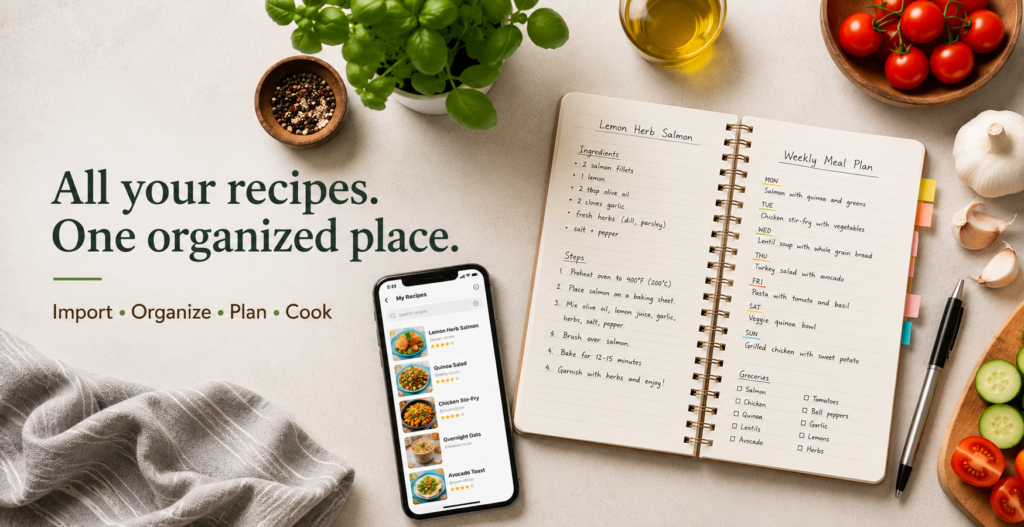
Instead of moving between browser tabs, screenshots, notes, videos, and grocery lists, Kichmate brings those steps into one workflow.
Import the recipe, organize it, add it to your meal plan, create your grocery list, and follow it in cook mode when you are ready.
Ready to organize your recipes?
Bring your scattered recipes together with Kichmate and start building a collection you will actually use.